AI agents explained
AI agents for small business: the one that catches unbilled extras before your invoice goes out
An AI agent that checks every new invoice against your crew's job notes and flags extras you did but didn't bill. Hours back, money you already earned.
The short answer
An AI agent can check every invoice against the crew's job notes before it goes out, so the extra posts, the haul-away and the upgraded gate latch get billed instead of given away, and nobody in the office reads back through notes to find them.
That is what "AI agent" means in plain words: software that starts on its own when something happens (a new invoice) or on a schedule (every weekday at 4:00), reads your own records, decides whether anything needs you, and hands you only the result. You don't open it, type to it or remember it exists. For a fencing or concrete company, the most profitable first agent is often this boring one: it sits between "job done" and "invoice sent" and stops free work leaving the yard.
What it costs you now
Here is how it usually goes. The crew finishes a 160-foot cedar privacy fence. On site, the homeowner asks for one more line post where the yard dips, wants the old chain-link hauled away, and upgrades to a self-closing gate hinge. The foreman says "no problem" and writes it in the job notes, or in a text to the office, or nowhere.
Back at the office, whoever does invoicing (often the owner's spouse, a part-time bookkeeper or the owner at 9 p.m.) builds the invoice from the original quote. To catch the extras, they'd have to read every note, every photo caption and every customer email on every job. Some weeks they do. Most weeks they're behind, so the invoice matches the quote and the extras go out free.
Example, for a 6-person fencing and concrete company (illustrative numbers, not a survey):
- 40 jobs invoiced a month.
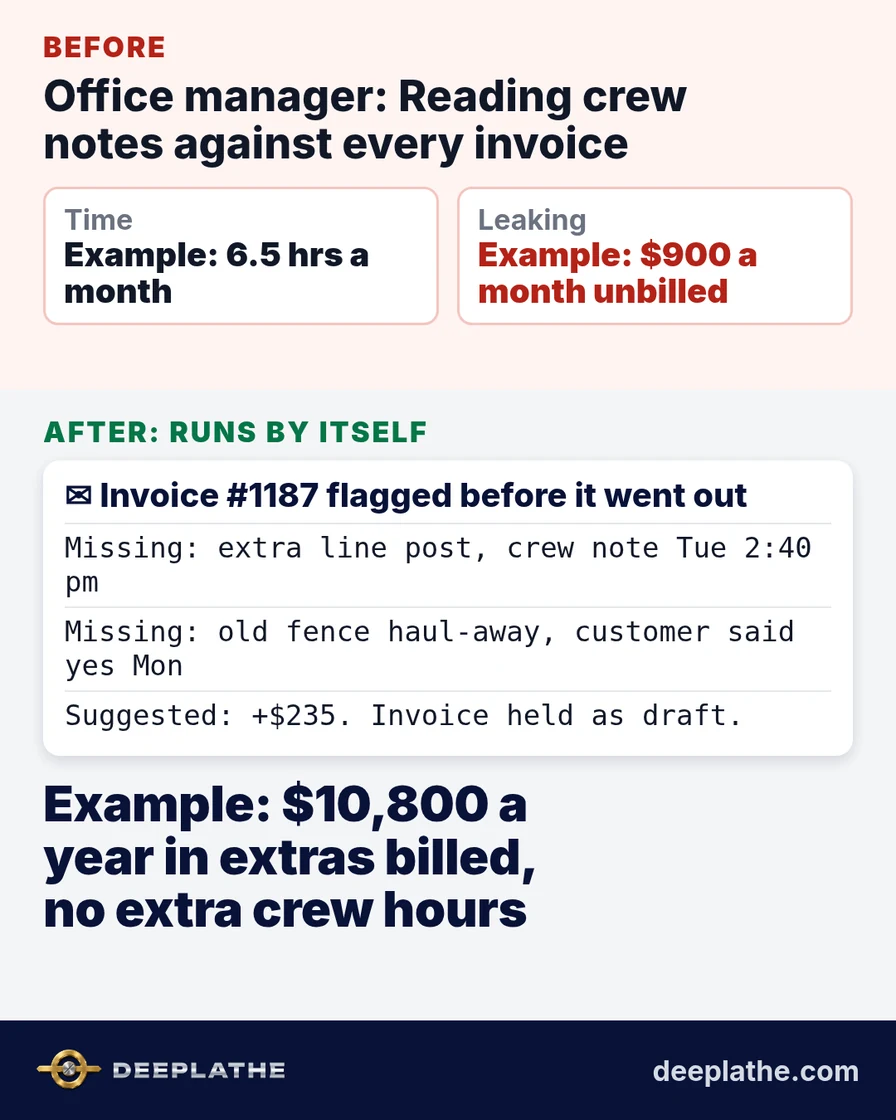
- Checking notes against the invoice properly takes about 10 minutes a job: 40 × 10 = roughly 6.5 hours a month of someone's time.
- When that check gets skipped, say 1 job in 8 has an extra that never gets billed, averaging $180 (an extra post and concrete, a haul-away, a hardware upgrade, a few extra feet of flatwork).
- That's 5 jobs × $180 = $900 a month walking out the gate, or about $10,800 a year, from work you already paid the crew to do.
There's a second cost: the customer learns extras are free, and the next "while you're here" request gets bigger.
What runs by itself
The agent watches three things you already have: the invoice your job software creates, the job notes and photo captions the crew leaves on that job, and the email thread with that customer.
It starts the moment a new invoice is created for a finished job in Jobber (or JobNimbus, ServiceTitan or your accounting system). The agent reads the invoice lines, then reads everything the crew and customer said about that job. It looks for work that was done or agreed but isn't on the invoice: "added a post," "customer wants the old fence gone," "upgraded to black hardware," "poured an extra 4 x 6 pad by the shed," "re-did the gate after she changed the swing." It also looks for the opposite, a line on the invoice the notes say didn't happen, which saves you an awkward refund.
If everything matches, it does nothing. You never hear about the clean jobs. If something's missing, it emails you (or posts in your team chat) one short note per job, with the line it thinks is missing, the note that proves it and a suggested price from your own price list. You or the office add the line and send the invoice. It never sends or changes an invoice on its own.
It runs inside your job software and email, connected once; nobody operates it after that. We can set this up for you, inside the tools you already use.
Example: what lands in your inbox
Illustrative sample of the note that arrives when a flagged invoice is created:
Invoice #1187, Dawson, 22 Birch Ln (cedar privacy, 160 ft)
Possibly missing:
- 1 extra line post + concrete: crew note Tue 2:40 pm "added post at dip by shed"
- Haul-away of old chain-link: customer email Mon "yes please take the old fence"
Suggested from your price list: post $85, haul-away $150. Total $235.
Invoice is held as draft. No other jobs flagged today.
That is the whole interaction. Two minutes to read, decide and add the lines.
The time and money math
Assumptions (Example, change them to your numbers):
- 40 invoices a month, 10 minutes each to cross-check by hand.
- 1 in 8 invoices has an unbilled extra worth $180 on average.
- The agent flags about 5 to 8 invoices a month, and each takes about 2 minutes to act on.
Time back: about 6.5 hours a month of note-reading drops to roughly 15 minutes of reading flagged notes. That's a full working day a month back for whoever does invoicing, usually someone whose time is worth more on scheduling, ordering or selling.
Money effect: about $900 a month in extras now billed, or $10,800 a year, with no extra crew hours and no new customers. Even if your real rate is half that (1 job in 16), it's still $450 a month. To see how to judge that for your own books, see how to measure AI ROI for a small business.
A second, quieter effect: your quotes get more accurate. Once extras are billed and logged, you can see which job types always grow on site (sloped yards, old-fence removal, gate changes) and price them in from the start.
Where it goes wrong (limits)
It only sees what's written down. If the foreman agrees to an extra post and never writes it anywhere, the agent can't find it. The fix is a habit, not more software: one line in the job notes per extra, in the crew's own words. "Added post by shed" is plenty.
It can misread notes. "Customer asked about a haul-away" isn't the same as "customer agreed to a haul-away." That's why it drafts a flag and never edits the invoice. A person decides. Expect a few wrong flags in the first couple of weeks while its instructions get tuned to how your crew writes.
It needs a price list it can see. If extras are priced in your head, it can say what's missing but not what to charge. A simple sheet of your common add-ons fixes that.
It won't fix a broken process. If invoices go out weeks late, the agent catches extras weeks late. It works best when invoices are created within a day or two of the job.
Messy inputs cost accuracy. Notes split across three apps and personal texts are harder to read than one job record.
What if it still doesn't work for you?
Some companies have almost no extras: fixed-scope work, strict change orders signed on site, or a single crew lead who invoices their own jobs. If that's you, this agent will mostly stay quiet, and that's a fair result. Run it for a month. If it flags nothing worth billing, switch it off and put the same pattern on a different pile: quotes that went quiet, supplier orders that don't match the takeoff, or finished jobs that ran over the estimate. The idea is the same. Pick one pile of your own records that someone should be checking and isn't, and let the agent check it on every new item. If you want a sense of what else fits, what agentic AI means for a business covers the wider picture in plain terms.
Built inside the tools you already use
Deeplathe builds agents like this one inside the job software, email and accounting tools a business already runs, so nobody learns a new app or changes how the crew works. The agent drafts and flags; you decide what gets billed and what gets sent. You stay in control of every invoice, and you can pause or remove the agent at any time. If you'd like to see which of your own piles would pay back first, the options are on our solutions page.
Questions owners ask
What does an AI agent like this cost a small business?
You pay for an automation plan and the AI usage it consumes, plus a one-time setup. Check current plan prices for your volume, then compare them with what it bills. Example: in the numbers above, one recovered haul-away a month is $150 back.
Will it work for my company if my crew's notes are messy?
Usually, yes. It reads plain, short, misspelled notes better than people expect. What it can't handle is notes that don't exist. If extras get written down somewhere, even one-liners, it can find them.
What if it breaks or flags the wrong thing?
If it stops running, invoices still go out as they do today; nothing gets worse. A wrong flag costs you a minute to ignore. Because it never changes or sends an invoice by itself, a mistake can't reach a customer.
Is my customer data safe?
It reads only the jobs, notes and emails you connect, using business accounts with access you control. You can limit it to job records and invoice drafts. See is customer data safe with AI tools for the questions to ask.
Will my office staff feel replaced?
The person doing invoicing stops doing the worst part of the job, reading back through notes, and keeps the judgment: what to bill, what to forgive for a good customer. Most people are glad to lose that chore.
Sources
- Zapier Agents: AI agents that connect to business data and do work across 9,000+ apps "on command and while you sleep."
- Jobber integrations on Zapier: Jobber connects to Zapier, including automations that run on new Jobber invoices.
Keep these
The working rules
An AI agent can check every invoice against the crew's job notes before it goes out, so the extra posts, the haul-away and the upgraded gate latch get billed instead of given away, and nobody in the o
Floor vote
Where are you with this job?
One vote per device. Change it any time.
Loading votes…
Field check
Field check
Four questions. Honest answers. No score sent anywhere but this page.
01 / 04
Can you name the one job this piece is for, in one sentence?