Flux images
Flux image generation for business: a weekly marketing batch that lands ready to review
A Sunday Flux batch drops next week's marketing images in a folder for approval, so promos stop waiting on a blank prompt box.
The short answer
Flux can run as a weekly marketing image batch that lands in a folder for you to approve, instead of a blank prompt box you open when you remember. A scheduled task reads next week's offer or post themes from a simple brief you already keep, generates a small set of Flux images to your brand rules, and drops only those files in Drive or email. Nobody sits down to "make creatives," and campaigns stop waiting on a photoshoot you never booked.
What it costs you now
Here is how it usually goes. You need three social images for next week's fence promo or HVAC tune-up offer. You mean to open an image tool. The week gets busy. You reuse last year's photo or skip the post. The offer gets fewer eyes.
Someone is supposed to make the visuals:
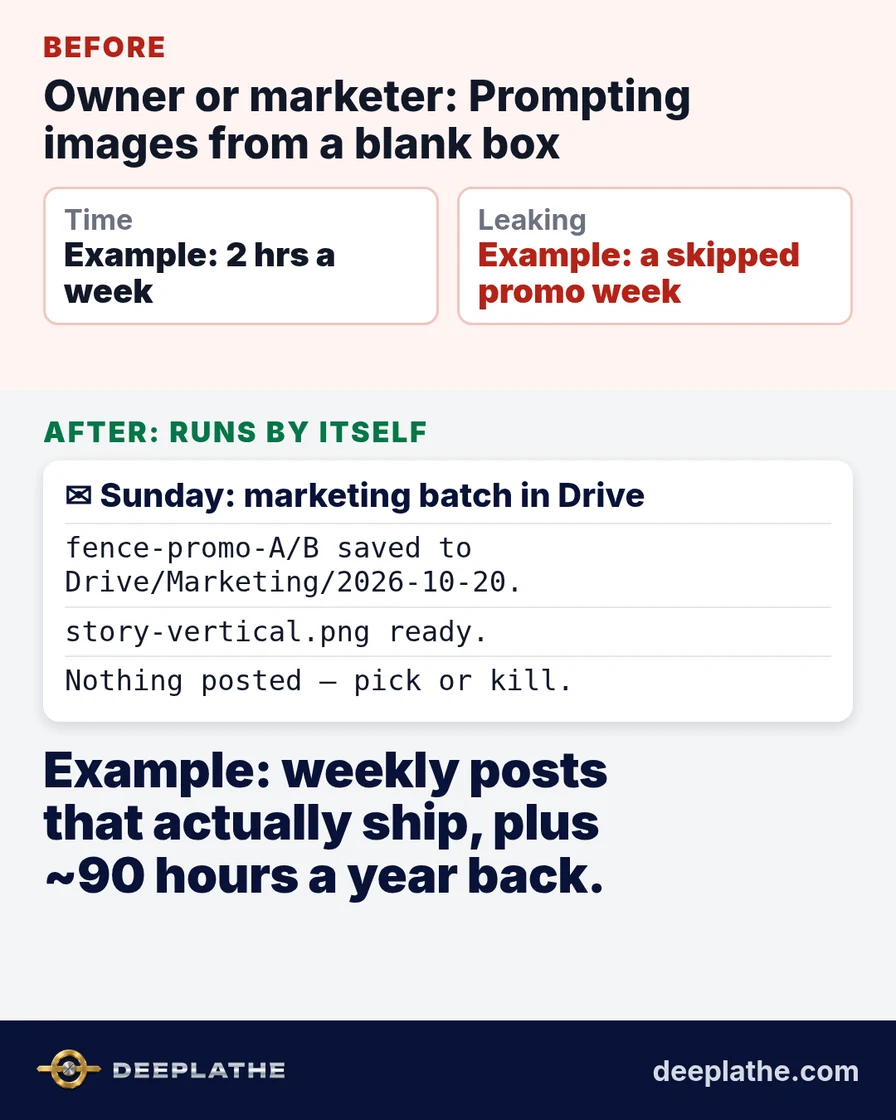
- Example: the owner or marketer spends about 2 hours a week prompting, regenerating and cropping images for posts and ads.
- Example: when that block is skipped, one unused promo week a month can mean fewer inbound leads for a high-ticket job.
- Example: labeled illustration: missing one fence lead a month at a $4,500 average job is $4,500 a month of revenue that never entered the pipeline, before close rate.
Late 2026 adds pressure. Q4 promos and January tune-up offers need fresh visuals while crews are still busy on the tools. That is when "we will design it later" kills the post.
Consistency matters too. A week of silence on Facebook or LinkedIn trains the algorithm and your audience that you are quiet. A Sunday batch that always arrives makes "we post every week" a default, not a heroic effort.
One more cost owners skip past: attention. Every unfinished chase sits in the back of your head during estimates and family dinners. A list that arrives on schedule clears that loop. The batch is intentionally small. Four images you will actually review beat twenty you will ignore.
What runs by itself
The job is a scheduled creative batch, not a blank canvas session:
- A brief you already maintain (a short doc or sheet): next week's offer line, forbidden claims, brand colors, and "never show fake customers as real."
- A fixed time (example: Sunday 7:00 a.m.) when the task sends that brief to Flux through the app or API you use, asks for a small set (example: 4 images), and saves them to a dated Drive folder.
- Your review folder as the only output. You pick or kill. Nothing posts itself.
It never publishes to Facebook, Instagram or ads. It never invents customer faces labeled as real jobs. It follows the brand rules you wrote once.
This runs as a Zapier or Make scenario on a Sunday schedule, or a scheduled agent that calls your Flux-hosting app and writes to Drive. Setup is connecting the brief doc, the brand rules and the folder. We can set this up for you inside the tools you already use.
For how a batch that arrives differs from opening a prompt box each time, see automation vs a chatbot.
Example: what lands in your inbox
Illustrative sample of the Sunday email:
Marketing image batch — week of 20 Oct (Flux, illustrative):
Folder: Drive/Marketing/2026-10-20/
1) fence-promo-A.png — cedar privacy, gold accent, offer line from brief
2) fence-promo-B.png — same offer, tighter crop
3) fence-promo-C.png — rejected by rules (looked like a real customer face) — not saved
4) story-vertical.png — vertical for stories, no people
Review and pick. Nothing has been posted.
You spend ten minutes picking, not two hours prompting.
Owners do not need another dashboard. They need the exception list. That is why the output is an email or a folder drop, not a login. If nothing needs you, you hear nothing. Silence means the watcher found a clean set.
The time and money math
Assumptions, all labeled as an example. Swap in your own numbers:
- Example: 2 hours a week making and cropping images, about 8 hours a month.
- Example: one skipped promo week a month that would have produced one extra fence lead at a $4,500 average job (illustrative; your close rate applies after).
Time back: the weekly design block drops to about 15 minutes of reviewing a folder. Over a year that is most of 90 hours back.
Money effect: more offers actually go out. Example: even one extra high-ticket lead a month that you would have skipped posting for is material; apply your own close rate. The hours back also free estimating time.
For ROI framing on your own numbers, see how to measure AI ROI in a small business.
Write your own numbers in the margins the first month. If the list is empty, keep it anyway for thirty days as a safety net. If it is noisy, tighten match rules once; do not shut it off on day two.
Creative work fails the same way research fails: it waits for a free hour that never comes. A Sunday batch turns make-images into pick-images, which is a five-minute job you can do between coffee and the first dispatch call. That is the only design habit most trade owners will keep in Q4.
Where it goes wrong (limits)
Flux still struggles with fine logos, readable small text in-image and hands. Budget a quick crop or overlay for logos in your real brand tool.
Generated people can mislead if presented as real customers or finished jobs. Your brief must ban that; the batch should prefer sites, materials and diagrams when proof photos are missing.
Brand drift happens if the brief is vague. Lock colors, fonts and forbidden claims once.
It does not replace photography of real work. Use real job photos when you have them; use Flux for concepts and promo frames around them.
What if it still doesn't work for you?
If a designer already drops next week's set every Friday, you may only need the brand-rules checker. If you have no brief, start with three lines: offer, colors, "no fake customers." If every batch looks generic, add two reference images of your best real work as style anchors. You lose a setup afternoon, not a retainer.
Built inside the tools you already use
Deeplathe wires this weekly Flux batch into the Drive folder, brief doc and image host you already pay for, so marketing is not a new app for the field. You own the brief, the approval step and what never posts alone. Other self-running jobs are at /solutions.
Questions owners ask
What does it cost to run?
Flux credits or subscription on the host you choose, plus Zapier or Make if you use them. Compared with skipping a week of promos on high-ticket work, it is usually small.
Will it work for a business my size?
It fits trades and local services that post weekly and lack a full-time designer. A company with a designer on retainer may only use it for overflow variants.
What if an image looks like a real customer?
Your rules should discard those before save. You still review the folder. Never post generated people as real jobs.
Is this honest marketing?
Yes when you label staged or generated imagery where realism could mislead, and when you prefer real job photos for proof. The batch is for frames and concepts, not fake testimonials.
Do I still open Flux myself?
Only for one-offs. The default path is: folder arrives, you pick.
Sources
- Black Forest Labs: Flux model family overview from the lab that publishes Flux (check current product names on the host you use).
- Zapier: AI by Zapier integrations: scheduling and file-routing patterns for creative batches into Drive or email.
- Zapier: ChatGPT scheduled tasks: the same "runs on a schedule, result arrives" idea applied to recurring marketing jobs.
Keep these
The working rules
Flux can run as a weekly marketing image batch that lands in a folder for you to approve, instead of a blank prompt box you open when you remember.
Floor vote
Where are you with this job?
One vote per device. Change it any time.
Loading votes…
Field check
Field check
Four questions. Honest answers. No score sent anywhere but this page.
01 / 04
Can you name the one job this piece is for, in one sentence?