Part of: Quotes and leads you never followed up
Draft customer emails
Draft and tighten customer emails without sounding fake
Facts first, then a shorter rewrite. You still send it — don't invent a discount.
Friday, late. A quote went out Monday and nobody followed up. You open a chat tool — ChatGPT, Claude, Gemini, whichever tab is already there — paste the thread, and type “make this more professional.”
What comes back is warm. Grateful. It offers ten percent off. You never ran a discount. That is not the tool failing to sound like you. That is the tool filling a hole you left.
The same hole shows up in a booking confirmation, a late note, a review request. The draft gets longer and kinder while Tuesday 3pm, the side gate, and the price you already quoted fall out.
The hole it filled
Invented — not a real offer
Hi everyone — we’re excited to offer 10% off all services this week. Take advantage of this limited-time offer.
The fake line is a missing fact
Ask a chat tool to polish before it has the job and the facts, and it will invent the rest. Price. Policy. A timeline. A discount. The email sounds like a stranger because it is guessing.
Name the job in one sentence before you open the chat. Confirm Tuesday 3pm cleaning and ask them to unlock the side gate. Follow up on Monday’s quote with one yes or no. Say you will be late, give the new arrival time, offer one extra you already allow. If that sentence will not fit, do not open the chat yet. Mood is not a job.
Floor vote
Which customer email burns the most time this week?
One vote per device. Change it any time.
Loading votes…
Then hand it only what it must not invent: the customer’s name and what they booked or asked for; date, time, and address if needed; who will show up, if that matters; the price or range you already quoted; any rule that already exists — deposit, cancel window, insurance; the one thing you want them to do next.
Do not paste card numbers, health details, full charts, or the whole thread. Extra unused material is where the inventing starts. Give the smallest set of facts that makes a clear reply.
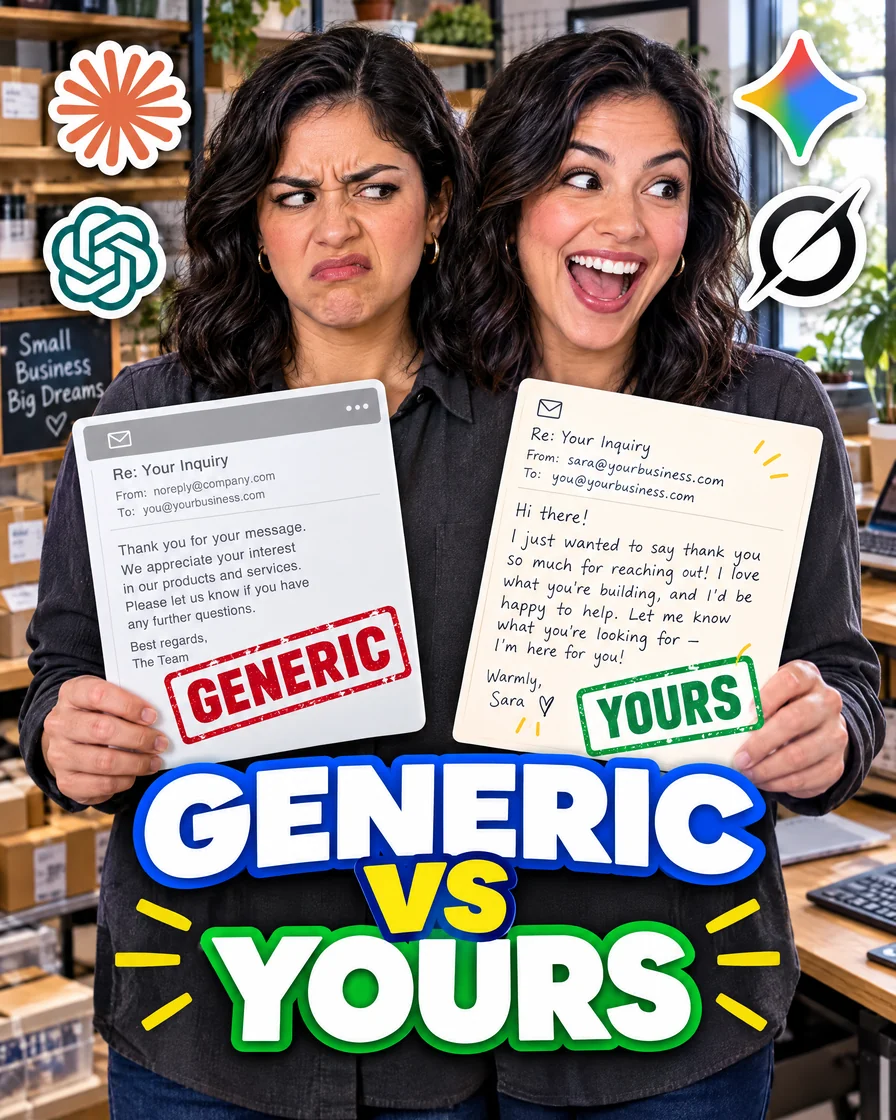
Generic | Yours
Generic
Dear Valued Customer — Thank you so much for considering our practice. We would be delighted to offer 10% off if you book this week. Please do not hesitate to reach out at your earliest convenience.
Invented discount. No time. No ask.
Yours
Maria — Thursday at 3 still good for the cleaning? Park out back if the street’s packed — same as last time. Text me if you’re running late.
Named job. Named time. One ask.
Where the fake line gets in
- 01Missing factsJob named, slots empty
- 02Polish too early“Make it professional” on a dump
- 03No human sendThe draft goes out as-is
Jakob Nielsen’s 1997 test found 79 percent of users scanned a new page rather than reading word by word. A customer email is scanned the same way. One idea per paragraph. One ask.
How you already talk
Paste the same few lines at the top of every prompt. Sound: clear, calm, local, respectful. Avoid: hype, slang the team never uses, long apologies, “as an AI.” Sentence length: short. Sign-off: first name only.
When a real email you sent got a good reply, copy a line from that email into this list. A line that already worked beats a pile of style words.
Omit needless words.
Draft, then cut
One copy-pasteable pattern is enough. Voice, job, facts, then “Draft a short email. Do not invent facts. Mark anything missing as [NEED].” In the same chat: “Make this shorter. Cut filler. Keep every fact. Put the ask in one sentence. Stay under 120 words.”
Two passes beat one request to “make it perfect.” The first pass gathers. The second pass cuts. If a line feels wrong, change that line. Do not ask the tool to “sound more human” unless you name the phrase that failed.
The two passes
- 01JobOne sentence
- 02FactsNothing to invent
- 03VoiceA few lines
- 04DraftMark [NEED]
- 05TightenSame facts, shorter
- 06You sendA person still does
Never use a long word where a short one will do.
Before you send, say it out loud at the desk. Every price, time, and promise should be one you already approved. Exactly one ask. No invented policy, discount, or timeline.
Would you say this at the desk?
Speed comes from doing this again on this week’s real mail — a quote follow-up after 48 hours, a same-day late note, a thank-you with a review link, a reschedule when a tech is sick, a deposit reminder — not from a cleverer first prompt.
Save the emails you actually sent, in folders named by job. Next time, paste one strong example and say: “Match this length and directness. Use today’s facts.”
If the email you owe is a chase on an open quote, here's a quotation follow-up email template with when to send each one.
The same draft-then-cut habit works for retention emails too, like this we miss you email template for martial arts schools that goes to parents when a student stops coming to class.
For benefits season, use the same draft-and-approve pattern on an open enrollment email to employees.
If that inbox is Outlook on Microsoft 365, use Outlook draft with Copilot so the first pass stays on the thread.
What still needs you
Do not give the tool the right to send refunds, medical advice, legal threats, or angry disputes without a person. Drafting is fine. Sending those messages still needs you.
If the email you keep putting off is a quote that went quiet, here's an estimate follow-up email for landscaping quotes, with the timing.
If the emails you draft are shipper updates on booked loads, these delivery status update email templates for freight brokers show which facts to pull from your TMS and which update still needs a person.
Field check
Field check
Five questions. Honest answers. No score sent anywhere but this page.
01 / 05
Did you name the job in one line before opening the chat — not after the draft came back?
People rarely read Web pages word by word; instead, they scan the page, picking out individual words and sentences.
Sources
Keep these
The working rules
Facts first, then a shorter rewrite. You still send it.